QR / Barcode Scanner
Stockaj Kiosk supports USB HID QR code and barcode readers — scanners that emulate a keyboard and send characters followed by an Enter key.
Compatible Scanners
Any USB scanner that works as a keyboard emulator (HID) is compatible. This is the default mode for the vast majority of scanners on the market.
Test your scanner by opening a text editor: if the scanned code appears as typed text followed by a newline, it is compatible.
How It Works
- The scanner sends the code characters one by one, like keyboard strokes
- The kiosk detects rapid keystrokes (less than 100 ms between each character) and accumulates them
- When the Enter key is received (or after a timeout), the complete code is processed
This mechanism distinguishes a scan from manual keyboard input.
Stockaj QR Codes
Stockaj QR codes use the format STK:1:{type}:{uuid}, where {type} identifies what was scanned:
| Type | Meaning |
|---|---|
i | Item (tool) |
v | Variant (serialized unit) |
r | Rental (movement) |
c | Renter (volunteer) |
The kiosk tolerates minor scanner quirks: alternative separators (; or |), surrounding whitespace and invisible control characters are normalized automatically. Plain item or variant barcodes (non-QR) are also supported — the kiosk matches them against the item or variant code.
Scanner on the Cockpit
The scanner is always active on the cockpit. Its behavior is smart: it automatically determines the action to perform based on what was scanned.
| Situation | Behavior |
|---|---|
| The scanned item is part of an active rental | Selects the volunteer and routes the item to a return |
| The scanned item is available | Adds the item to the rental cart |
| A volunteer QR code is scanned | Selects that volunteer |
| The item is not found | Displays an error message and plays an error sound |
| Network error | Displays an error message |
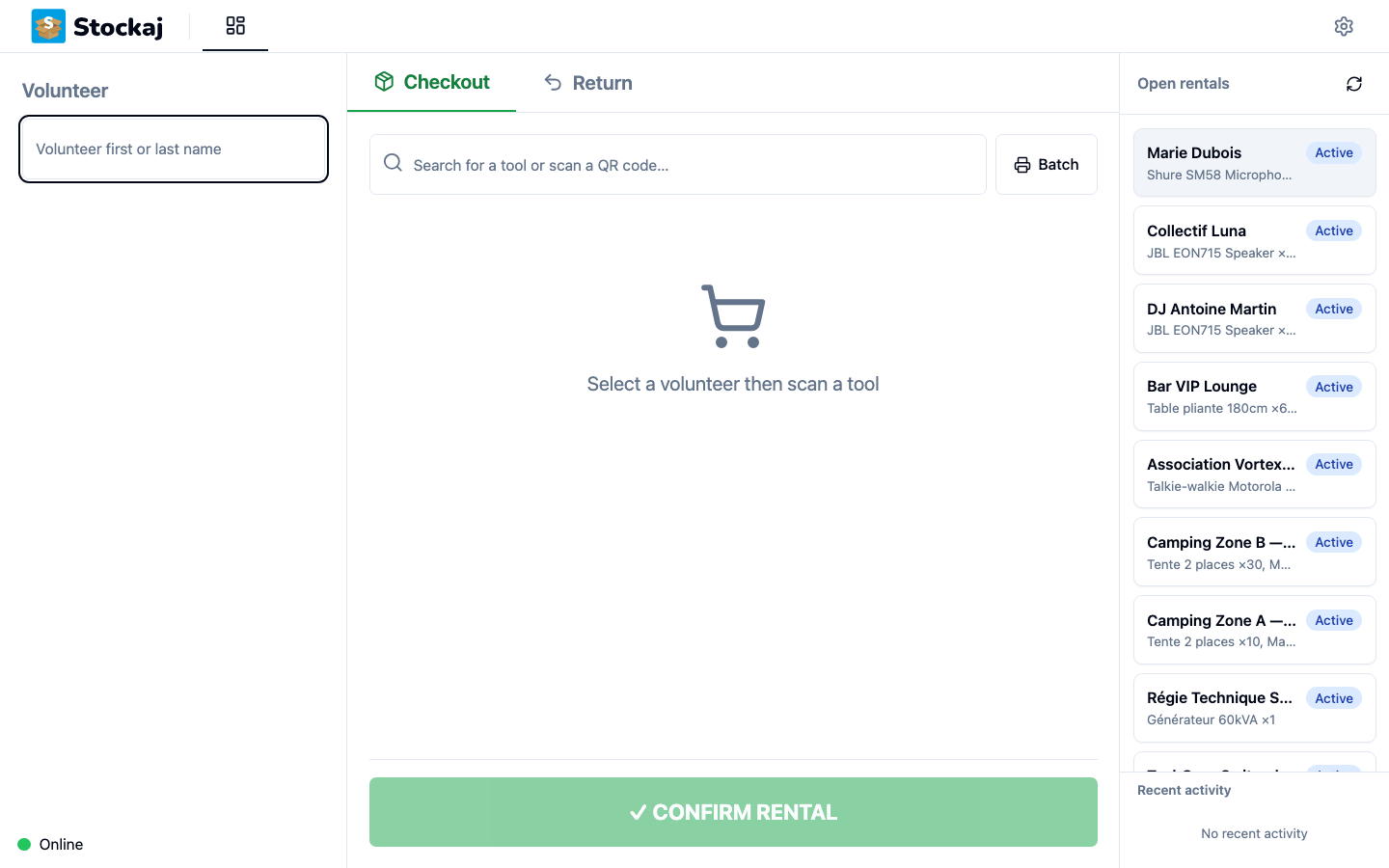
Screens Where the Scanner Is Active
| Screen | Scanner Active | Behavior |
|---|---|---|
| Cockpit | ✅ | Smart detection: rents, returns or selects a volunteer based on what is scanned |
| What's out? | ✅ | Highlights the matching outstanding line and adds it to the return selection |
| Assisted mode | ✅ | Active on the item step — adds the scanned item to the rental |
| Setup | ❌ | Scanner is not active |
Scan Sound
The kiosk plays a short sound on each scan — a confirmation tone on success and a distinct tone on error. You can turn this off with the Scan sound option in the settings.
Timeout Configuration
The delay between keystrokes to consider input as a scan is configurable. The default value is 100 ms, which suits most scanners.
If your scanner sends characters more slowly, you can increase this value via the environment variable:
VITE_SCANNER_TIMEOUT_MS=150
Troubleshooting
| Problem | Solution |
|---|---|
| Scan is not detected | Verify the scanner is in HID (keyboard) mode. Test in a text editor. |
| Scan is incomplete | Increase the timeout (VITE_SCANNER_TIMEOUT_MS) |
| Keyboard input triggers scans | Decrease the timeout if you previously increased it |
| "Unknown code" after a scan | The item does not exist in Stockaj — verify it is registered |
| Scanner does not work on the setup page | The scanner is disabled on this screen |